
SMS Virtual - Receive SMS
Tecrow AppsCommunication
4.53.38K Reviews
- Version
- 1.4.0
- Installs
- 1.00M
- Age Rating
- Everyone
Screenshots
Our Review of SMS Virtual - Receive SMS
 Analysis by Appyee
I’ve found that a virtual SMS app is most useful when it helps me separate a one-off verification from the phone number I use every day. SMS Virtual - Receive SMS is built around that simple task: choose a number and use it to receive a text online. That makes it convenient for low-stakes sign-ups, but it is not a private second phone line. The distinction matters: I’d consider it a handy buffer for trying a service, not a safe place for messages that protect an account or contain personal information.
What this kind of number is—and isn’t—for
A virtual number can spare you from handing your usual number to a service you may never use again. It can also keep a temporary sign-up from adding another sender to your regular text inbox. But a number offered for shared receipt is not the same as a personal SIM or a private, long-term number. If you need a reliable route for password recovery, banking codes, or messages that only you should see, I would use a number under your own control instead.
That privacy trade-off is easy to miss when the immediate goal is simply “get a code.” A verification text may be visible to others if the number is public, and a number that has been used before may have a history with the service you are joining. So I’d reserve this approach for registrations where the consequences of a failed or exposed code are small. It can reduce how widely you share your personal number, but it should not be treated as a security upgrade.
A practical way to use it
For example, imagine I want to look around a discussion service or try a shopping app before deciding whether to keep an account. I can choose a virtual number, request the verification text, and check whether the service is worth using without immediately giving it my everyday number. If the number is rejected, or the message never arrives, I can try another available option rather than spend time troubleshooting my own carrier or changing my phone settings.
There is a useful habit here: treat every selected number as temporary, and avoid using it for an account you expect to depend on later. Before entering a code, check that the number is appropriate for the service and that the message shown is actually the one you requested. If a service asks you to reuse the same number for future sign-ins or recovery, that is a good point to stop and switch to a private number. This small bit of planning can prevent a quick convenience from becoming an account-access problem.
Where it fits among alternatives
Compared with using your personal SIM, an online number can offer more separation from your everyday contact details, but it gives you less control over who can see incoming messages. A paid private second number or a spare SIM is generally a better fit when you need continuity, personal access, or account recovery. Email verification is simpler when a service offers it and the account does not genuinely require a phone number. I see this app as a narrow option between those choices: useful for a casual test, unsuitable as a substitute for a private line.
It is also worth thinking about the service on the other end. Some platforms may reject virtual numbers, while others may accept a number that has already been used for sign-ups. That is not necessarily an issue with the app itself; it reflects how the receiving service handles verification. If the first attempt fails, switching numbers may help, but I would not keep cycling through options for an account where access matters. In that situation, use a stable number you control.
Getting Started with SMS Virtual
Installing the SMS Virtual - Receive SMS app is a breeze. Available on both Android and iOS, you can find it in the app store with just a quick search. Once downloaded, the interface greets you with a minimalist design that's super easy to navigate. I personally love how straightforward it is—no frills, just functionality.
The app is a communication tool from Tecrow Apps, and its basic purpose is easy to understand before you start: receive SMS online rather than on your personal phone number. It is free to install, though it also offers optional in-app purchases priced from forty-nine cents to two dollars and ninety-nine cents per item. I’d first decide whether the free use meets your needs; the presence of optional purchases doesn’t change the main privacy question, which is whether a shared virtual number is suitable for the account you’re verifying.
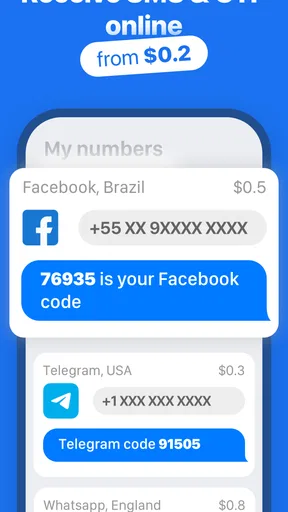
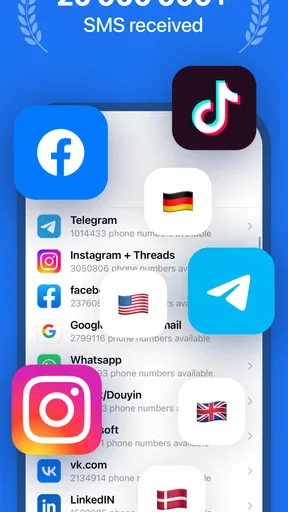
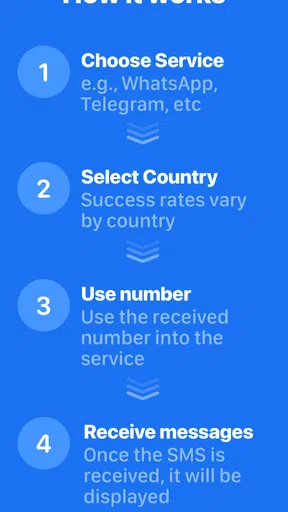
When you open the app, you're prompted to select a country. This is where the magic happens. The app provides a list of virtual numbers from different countries. You simply pick one, and voilà, you're ready to receive SMS. The app also shows you the number of available messages for each virtual number, which is pretty neat.
Features You’ll Love
One of the standout features is the sheer variety of numbers available. Whether you need a number from the US, UK, or even Japan, you’re likely to find it here. This makes it a versatile tool for those who work with international platforms or need to bypass geographical restrictions.
Another cool feature is the real-time message retrieval. As soon as a message is sent to your chosen virtual number, it appears in the app. I tested this with a few verification processes, and it worked flawlessly every time. It's like getting a text on your personal phone, but without any commitment.
For a smoother attempt, I’d choose the country that matches the service’s intended registration region rather than picking randomly. Then I’d request one code at a time and watch for the matching message before trying again. This keeps the process clear if several sign-up attempts are involved, and it avoids confusing one verification text with another. The displayed number of available messages can help me compare options, but I would not treat it as a guarantee that a particular service will accept the number.
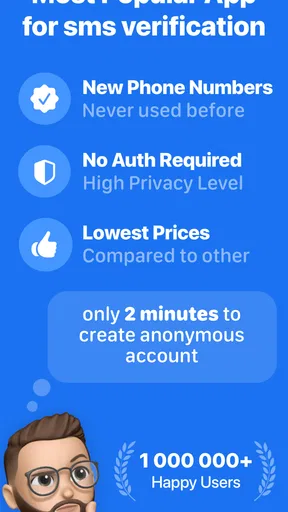
The app also keeps things secure. You don’t need to sign up or provide any personal information, which is a huge plus in my book. Just install, select, and start receiving messages. It’s as simple as that.
That low-friction start is a genuine strength for occasional use, especially if I only need to test a service once. Still, “no personal sign-up” should not be confused with private message delivery. The practical question is not only what information I give the app, but who can access an incoming SMS sent to a public number. I’d never use such a number for a recovery code, a work account, or anything that could expose private details.
A Few Things to Keep in Mind
While SMS Virtual - Receive SMS shines in many areas, there are a couple of things you should be aware of. First, the numbers are public, meaning other users could potentially see the same messages. This isn’t a dealbreaker for most verification purposes, but it’s something to remember if privacy is a major concern.
Also, some numbers might be overused, leading to delays or the dreaded "number not available" message. It happened to me once, but switching to another number solved the issue. The app updates its number list frequently, so this is more of a minor inconvenience than a major problem.
That makes reliability a matter of fit, not just convenience. A number that works for one registration may be rejected by another service, and a busy shared number can be less dependable than a personal line. I’d keep expectations modest: this is a practical try-first tool, not a guaranteed route to every verification code. If a code is time-sensitive or losing access would be costly, the more dependable alternative is a number that belongs to me.
Who I’d recommend it to
I’d recommend it to someone who wants to explore a low-risk service, keep a casual sign-up separate from their regular number, or receive a one-time text without setting up a second SIM. It may also suit people who encounter services with country-specific registration options, provided they understand that availability and acceptance can vary. The app is free to download, is rated for Everyone, and has a four-and-a-half average from around seventy-three thousand ratings, which suggests broad interest without removing the need to use good judgement about sensitive messages.
I’d skip it if I needed a dedicated second number for friends, clients, travel logistics, or repeated account sign-ins. Those situations depend on ongoing access and a clear sense of who can receive messages. I’d also avoid it when signing up for financial, health, or identity-related services. For those, an email option or a private phone number is a better choice, even if it takes more effort.
On Android, the app supports devices running version six or later. Its current version is 1.3.1, and it has passed one million installs. Those details make it a widely used option in its niche, but I’d still judge it by the specific job I need done rather than by popularity. As a communication app, it is focused on receiving SMS; it is not a replacement for a messaging service built around private conversations or ongoing contact.
Why You Should Try It
If you’re someone who values privacy or just wants to avoid spam, this app is a lifesaver. It's also great for those who juggle multiple accounts and need quick verifications. With its user-friendly interface and wide selection of numbers, SMS Virtual - Receive SMS makes the process seamless.
I found the app particularly useful when signing up for services that I wasn’t sure about. It gave me peace of mind knowing that my personal number stayed personal. Plus, I didn’t have to deal with unwanted follow-up texts or calls.
My recommendation comes with one important boundary: keeping your everyday number out of a casual registration is useful, but the number you choose here should not become the foundation of an account you care about. If a service offers email verification, I’d usually take that simpler route. If phone verification is unavoidable and future recovery matters, I’d use a private SIM or second number. Those alternatives offer more continuity than a shared inbox can promise.
In conclusion, SMS Virtual - Receive SMS is a nifty tool that combines convenience with practicality. Whether you're a frequent traveler, a digital nomad, or just someone who loves their privacy, give this app a shot. It might just become your new favorite app.
My final take
I see the app as a useful, limited-purpose choice rather than a universal privacy solution. Its country selection and straightforward flow make a temporary verification attempt easy to understand, while public messages and occasional number friction put a clear ceiling on what I would trust it with. Try it for a low-stakes sign-up, keep sensitive accounts on a number you control, and you’ll be using it for the kind of job it handles best.
Verdict
Strengths of SMS Virtual - Receive SMS
- Easy setup and user-friendly interface.
- Supports multiple country numbers.
- Reliable message delivery system.
- No need for personal phone number.
- Affordable subscription plans.
Limitations of SMS Virtual - Receive SMS
- Limited free messages available.
- Some numbers may expire quickly.
- Occasional delays in message receipt.
- Not all countries are supported.
- Requires internet connection to function.
Similar Picks in This Category
View All
Google Messages
Google LLC4.6

Gmail
Google LLC4.1

Google Meet
Google LLC4.4

Google Chrome
Google LLC4.1

WhatsApp Messenger
WhatsApp LLC4.6

Carrier Services
Google LLC4.2
Frequently Asked Questions
What is SMS Virtual - Receive SMS, and how does it work?
SMS Virtual - Receive SMS is an app designed to provide users with temporary phone numbers to receive SMS messages online. This is particularly useful for verifying accounts or protecting personal privacy when signing up for services. The app assigns a temporary number, which can be used to receive SMS without revealing your real phone number.
Is SMS Virtual - Receive SMS free to use, and are there any in-app purchases?
The app offers a free version that provides basic functionalities, such as receiving SMS through temporary numbers. However, there may be in-app purchases or subscriptions that offer enhanced features, like access to additional numbers or extended timeframes for using a temporary number. Check the app store for specific pricing details.
How secure is SMS Virtual - Receive SMS in terms of privacy and data protection?
SMS Virtual - Receive SMS takes privacy seriously by not requiring users to register with their personal phone numbers. Temporary numbers ensure that your personal information remains private. However, it's always advisable to read the app's privacy policy to understand how your data is handled and what measures are in place for protection.
Can I use SMS Virtual - Receive SMS for receiving verification codes from all services?
While SMS Virtual - Receive SMS is compatible with many services, some may not accept temporary numbers due to security policies. It's a good practice to test the app with the specific service you intend to use it for. Note that some services may block temporary numbers, so results can vary.
Are there any limitations on the number of messages I can receive with SMS Virtual - Receive SMS?
The app may have limitations on the number of messages you can receive, depending on the version you use. The free version might have stricter limits compared to a premium version. It's advisable to check the app's terms of use or contact support for detailed information on message limits.
